

Sometimes, we need dummy text for testing documents or providing examples.
Instead of copying text from a webpage, LaTeX offers the lipsum package, which provides up to 150 paragraphs of Lorem Ipsum text.
Using the lipsum package
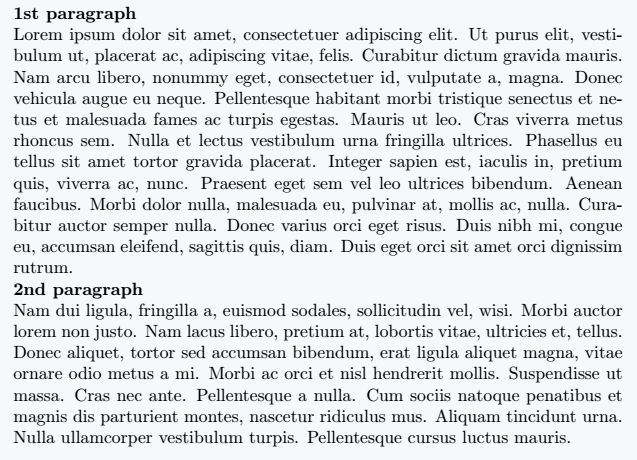
The \lipsum[] command generates random paragraphs in LaTeX. To print a specific paragraph, pass its number as an argument.
\documentclass{article}
\usepackage{lipsum}
\begin{document}
  \textbf{1st paragraph}\\
  \lipsum[1]\\ % print 1st paragraph
  \textbf{2nd paragraph}\\
  \lipsum[2] % print 2nd paragraph
\end{document}
Output :
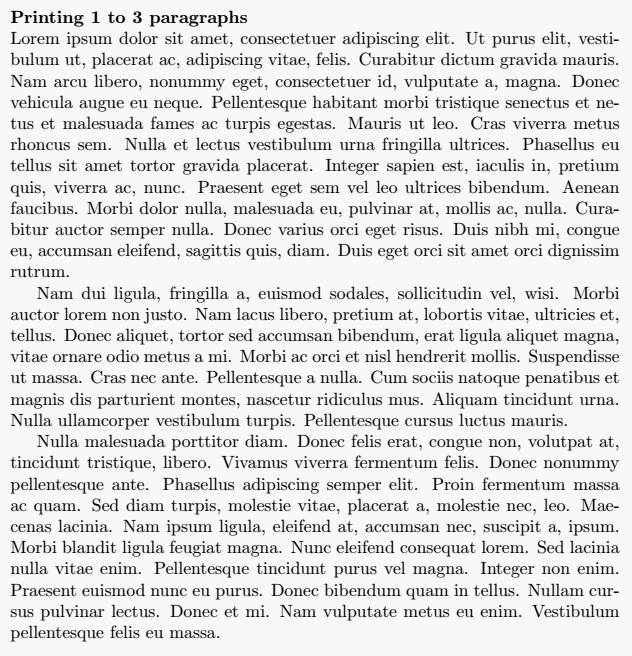
To print multiple paragraphs at once, specify a range, like [1-3], which prints the first three paragraphs.
\documentclass{article}
\usepackage{lipsum}
\begin{document}
  \textbf{Printing 1 to 3 paragraphs}\\
  \lipsum[1-3] % [1-3] for print 1 to 3 paragraphs
\end{document}
Output :
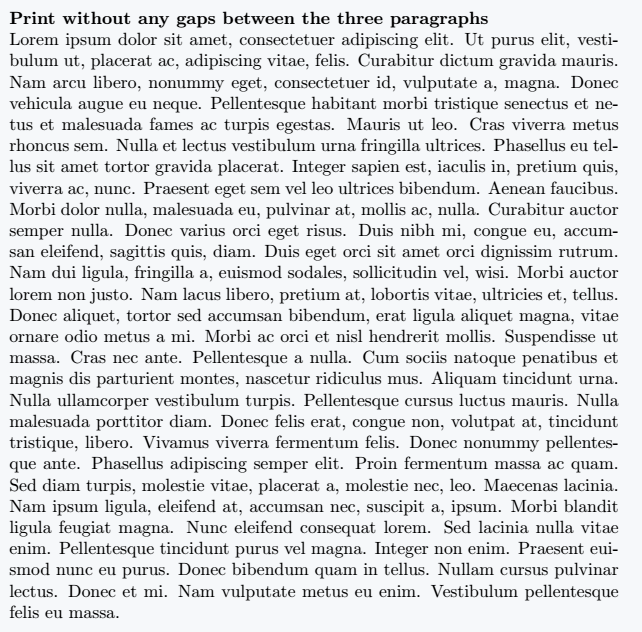
By default, there are small gaps between paragraphs. To remove these gaps, use an asterisk (*).
\documentclass{article}
\usepackage{lipsum}
\begin{document}
  \textbf{Print without any gaps between the three paragraphs}\\
  \lipsum*[1-3] % * For print without any gaps between the three paragraphs
\end{document}
Output :
Printing specific sentences from a paragraph
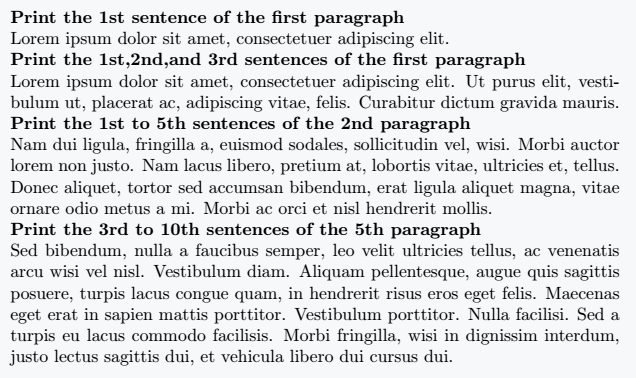
Instead of an entire paragraph, you can print selected sentences using an extra argument:
1. \lipsum[1][1-3] prints the first three sentences from the first paragraph.
2. \lipsum[2][1-5] prints the first five sentences from the second paragraph.
3. \lipsum[5][3-10] prints sentences 3 to 10 from the fifth paragraph.
\documentclass{article}
\usepackage{lipsum}
\begin{document}
  \textbf{Print the 1st sentence of the first paragraph} \\
  \lipsum[1][1] \\ %[1][1]To print the 1st sentence of the first paragraph
  \textbf{Print the 1st,2nd,and 3rd sentences of the first paragraph} \\
  \lipsum[1][1-3] %[1][1-3]To print the 1st, 2nd, and 3rd sentences of the first paragraph
  \textbf{Print the 1st to 5th sentences of the 2nd paragraph} \\
  \lipsum[2][1-5] \\ %[2][1-5]To print the 1st,2nd,and 3rd sentences of the first paragraph
  \textbf{Print the 3rd to 10th sentences of the 5th paragraph} \\
  \lipsum[5][3-10] \\ %[5][3-10]To print the 3rd to 10th sentences of the 5th paragraph
\end{document}
Output :
With the lipsum package, generating dummy text in LaTeX becomes quick and efficient. Whether you need full paragraphs, specific sentences, or continuous text, \lipsum provides a simple and flexible solution!


Thanks for the information, so useful